Shipping by courier or post
Sell to another city: the buyer sends their address in the chat, and you reply with a tracking number.
Turn on shipping in your listing

- 1In the “Price” block, turn on “I can ship by courier or post”. Buyers from other cities will see a “Ships countrywide” badge on the listing, and the listing itself will appear in the “Countrywide delivery” collection on the home page and in the catalog.
For a listing that’s already published, open it in “My Ads” and turn the option on there. Or ask the assistant: “mark that I can ship the headphones by post”. It will show a card, and the change is applied once you confirm it.
Shipping can’t be turned on:
- in business listings — a storefront has its own delivery, see the guide “Delivery zones and pickup points”;
- in “Buying” listings;
- in real estate, vehicles, services, jobs, food, currency exchange and animals. The exceptions are car parts, motorcycle parts and gear, bike accessories and pet supplies: these can be shipped.
The buyer sends their address
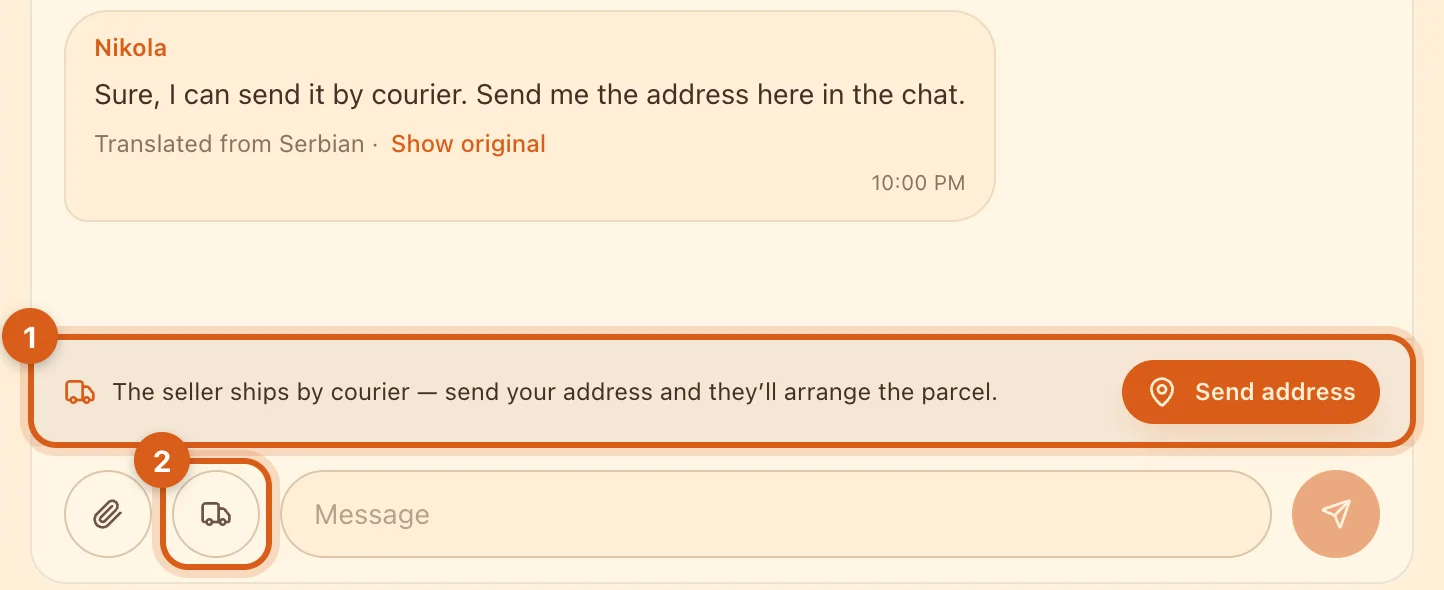
- 1In the chat about such a listing, the buyer sees a “Send address” button above the message field.
- 2The same button is in the truck menu (in the app, in the paperclip menu). For the seller, this menu also has “Send tracking number”.
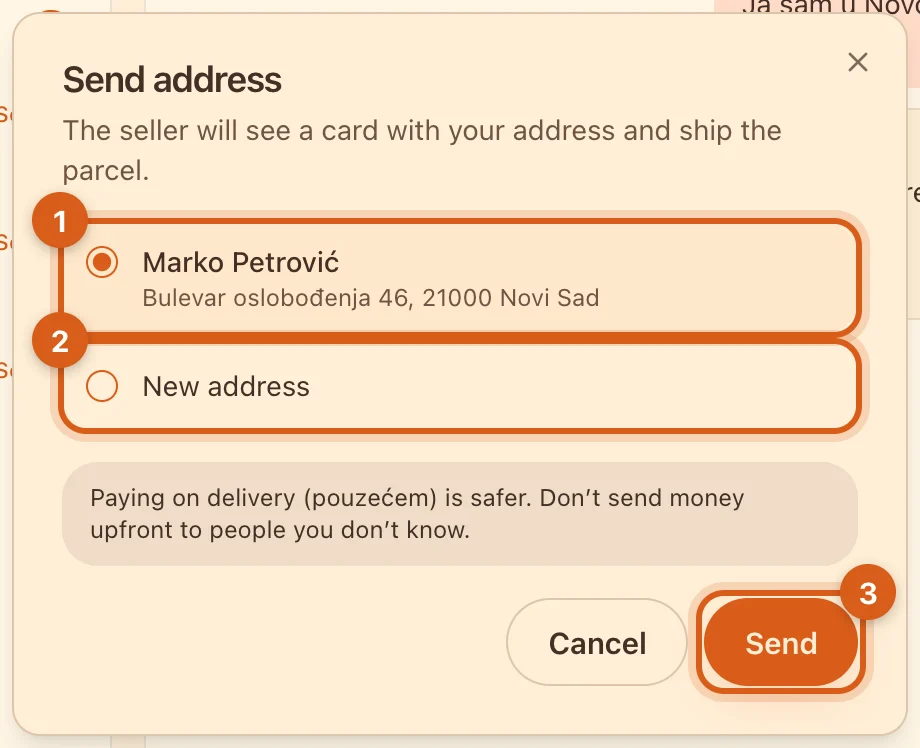
- 1An address saved in “Shipping addresses” is sent with a single tap.
- 2“New address”: the recipient’s full name, phone, street, house number, city and postal code. Tick “Save to “Shipping addresses”” so you don’t have to type it again next time.
- 3“Send” — a card with the address appears in the chat.
Only the other person in this chat sees the address. Saved addresses can be edited or deleted in “Shipping addresses”; cards already sent don’t change.
Ship the parcel and send the tracking number
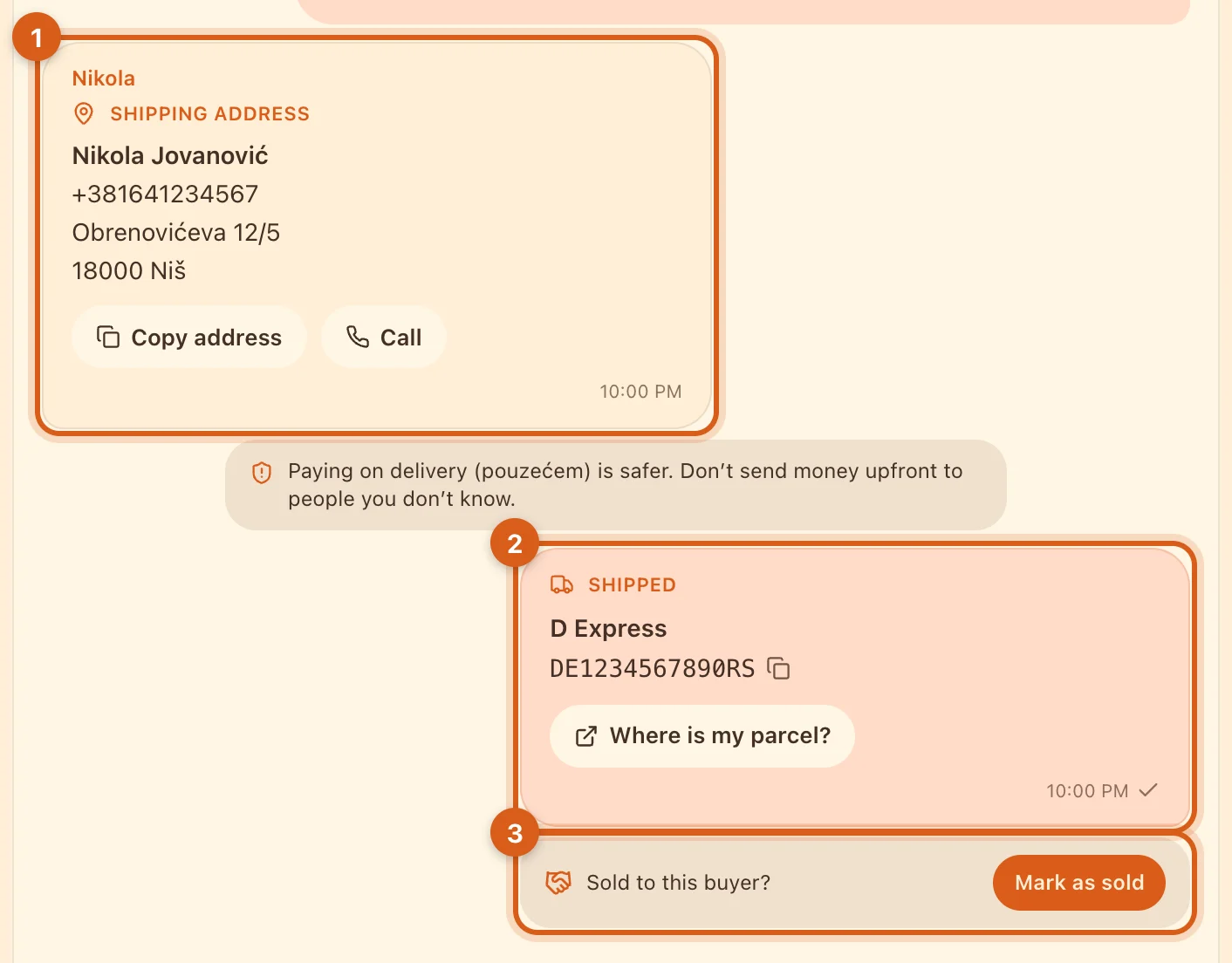
- 1The address card. “Copy address” — to paste it into the waybill; “Call” — if the courier needs the recipient’s phone number.
- 2The “Shipped” card with the carrier and tracking number. “Where is my parcel?” opens the carrier’s tracking page.
- 3“Mark as sold” unpublishes the listing and marks this buyer right away. A deal is created, and you can both leave a review.
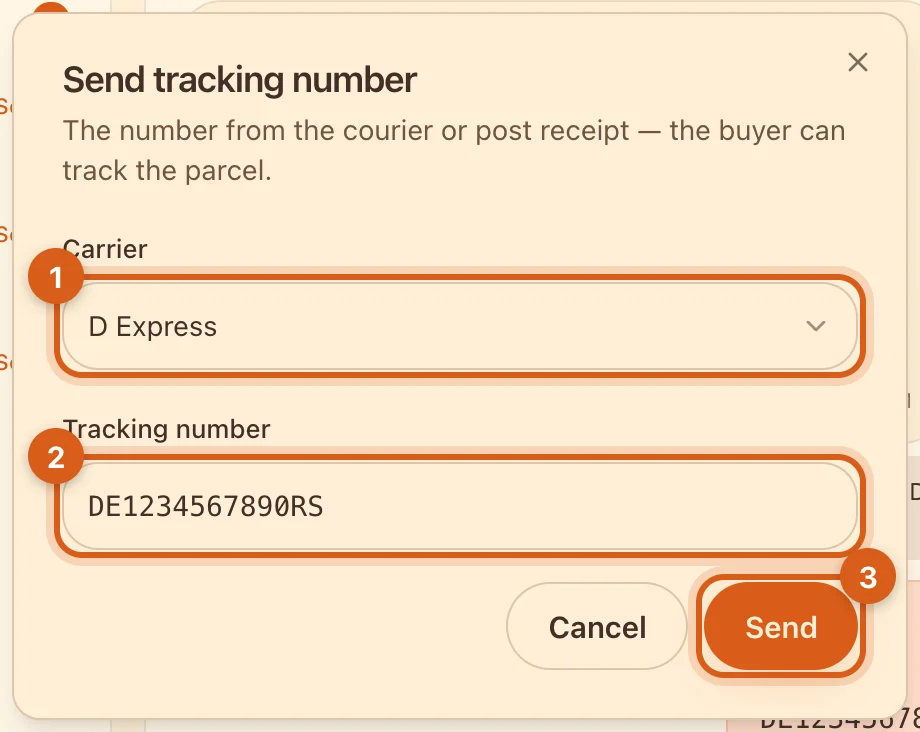
- 1“Carrier” — a list of carriers in your country. If yours isn’t there, choose “Other carrier”.
- 2“Tracking number” — from the courier or post office receipt.
- 3“Send” — the card goes to the buyer in the chat.
Some carriers’ websites can’t open a parcel from a link. In that case, “Where is my parcel?” copies the number and opens the carrier’s website — paste the number into its tracking search.
Frequently asked questions
Who pays for shipping?
Agree on it in the chat. Ovdix isn’t involved in payments and takes no commission.
I got the tracking number wrong. How do I fix it?
A card that has been sent can’t be edited. Send a new one with the correct number and tell the buyer that the latest one is right.
I sold it but didn’t tap “Mark as sold”
Unpublish the listing in “My Ads”, choose “Sold on Ovdix” and mark the buyer — see the guide to deals and reviews.