Deals and reviews: why mark the buyer
Buyers see your reviews and number of deals next to your listings. They appear only if you mark who you sold to.
How a deal is created
- Private listing: when unpublishing, choose “Sold on Ovdix” and mark the buyer.
- Business listing: the deal is created automatically when you mark the order as completed.
The buyer doesn’t need to confirm anything: they get an invitation to leave a review, and a deal card appears in the chat. If there’s no review after 3 days, one reminder is sent.
Mark the buyer
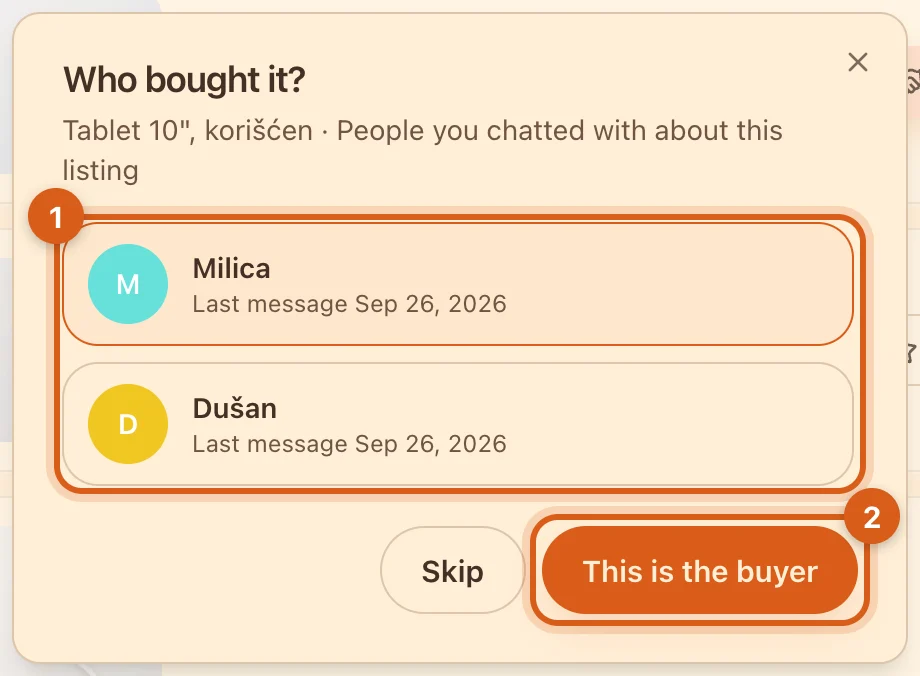
- 1People you chatted with about this listing — where you both sent messages.
- 2Choose the buyer and tap “This is the buyer”.
Tapped “Skip”? You can mark the buyer later: the card in the archive has a “Who bought it?” button, available for 30 days after unpublishing.
Leave a review and reply
All deals are in “Deals & reviews”.
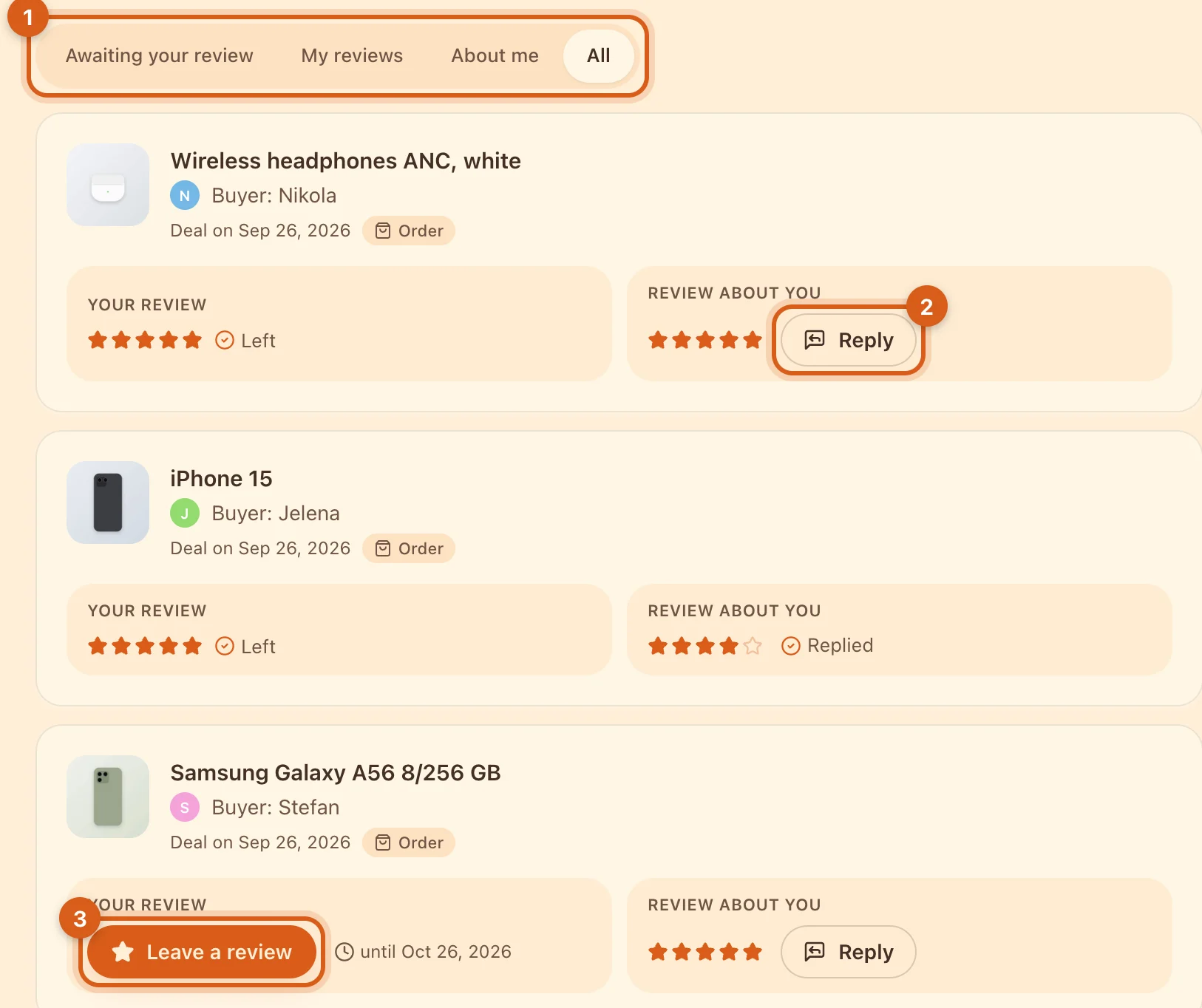
- 1Filters: “Awaiting your review” — deals where you haven’t rated the other party yet; “About me” — reviews about you.
- 2“Reply” — a public reply to a review about you. One per review.
- 3“Leave a review” — next to it, you’ll see the deadline.
- A review is a rating from 1 to 5 plus an optional comment. You can leave one within 30 days of the deal.
- A review and a reply can be edited within 24 hours, but not deleted.
- A review with insults, personal data or spam can be sent to moderation with the “Report” button.
Where buyers see your reputation
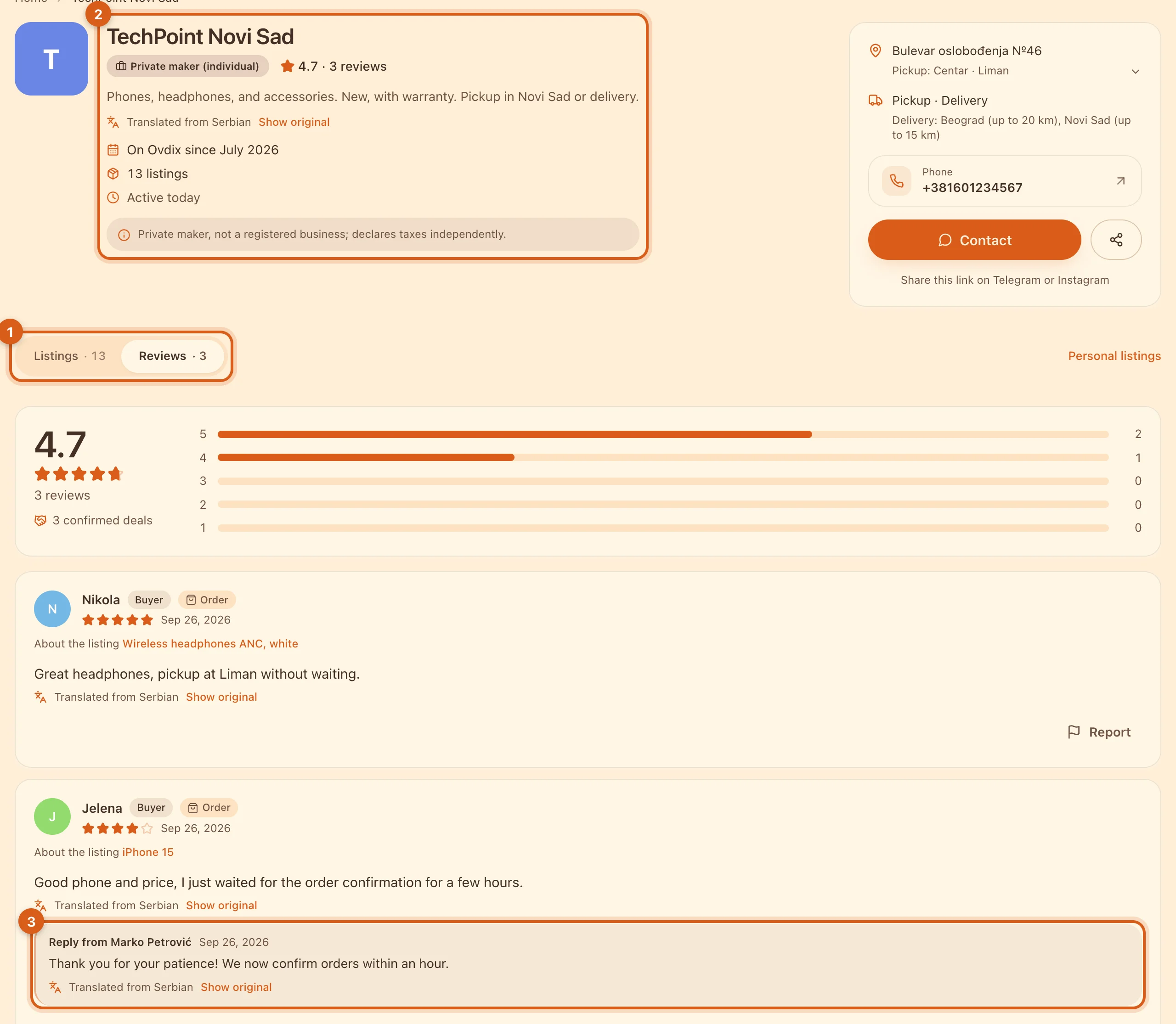
- 1The “Reviews” tab on your storefront.
- 2Average rating, number of reviews and confirmed deals.
- 3Your reply under a review — buyers see that you respond to feedback.
Your rating and number of reviews are also shown next to each of your listings.
Frequently asked questions
Why isn’t the buyer in the “Who bought it?” list?
The list only shows people you chatted with about this particular listing, where you both sent at least one message.
Can I cancel a deal?
No. If you marked the wrong person, contact support.
I’m a buyer. How do I leave a review?
Tap “Leave a review” on the deal card in the chat, or open “Deals & reviews” → “Awaiting your review”.