The “Products” table: bulk prices and stock, export to Excel
All your listings in one table: change price and stock right in the row or for dozens of listings at once.
1. Open the table
The table works on a computer. Any seller can open it.

- 1“Products” in the left menu.
- 2Or the “Table” button in “My Ads”.
2. Find what you need
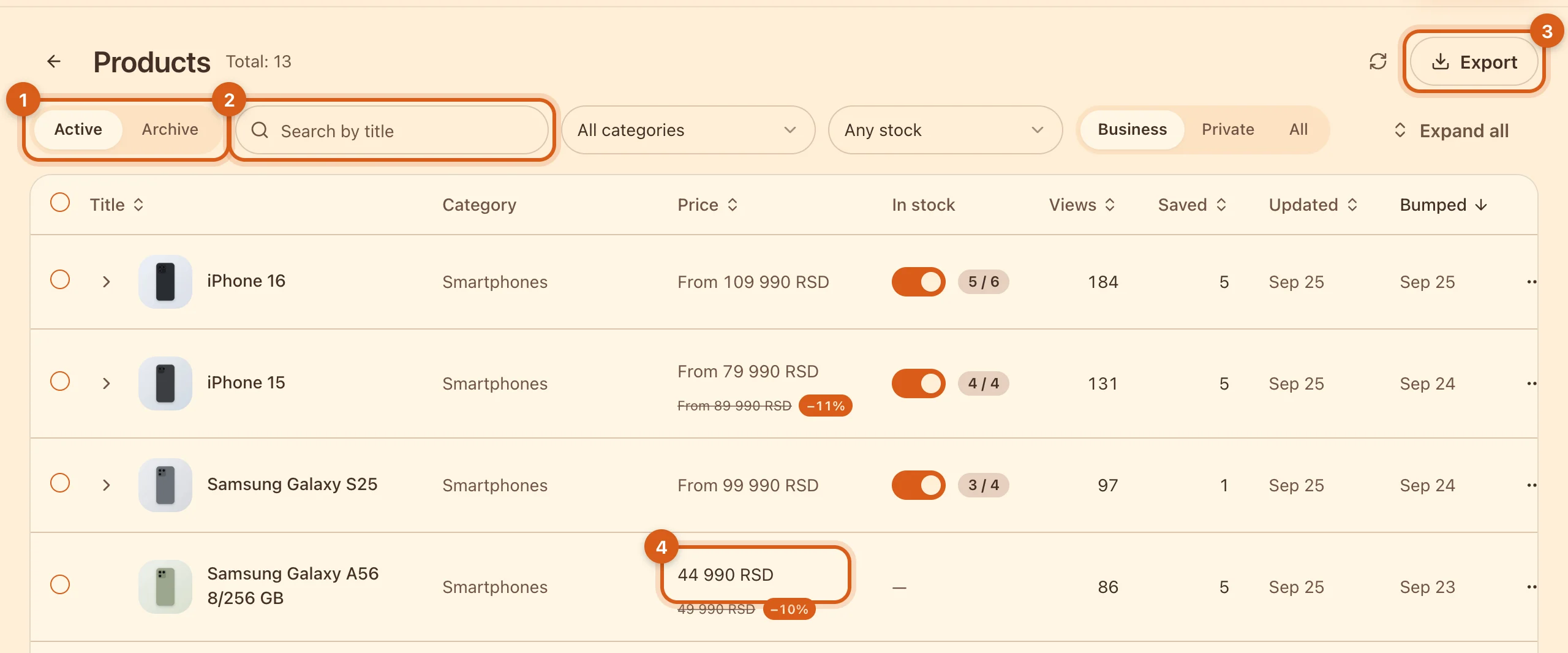
- 1Active listings or the archive.
- 2Search by title and filters by category and stock.
- 3“Export” — the whole list to Excel or CSV.
- 4Price: click, type the new one, done. It saves right away.
3. Configurations: price and stock for each variant
If an item has variants (storage, color), click the arrow to the left of the title. How to set up variants — in the guide “Configurations”.
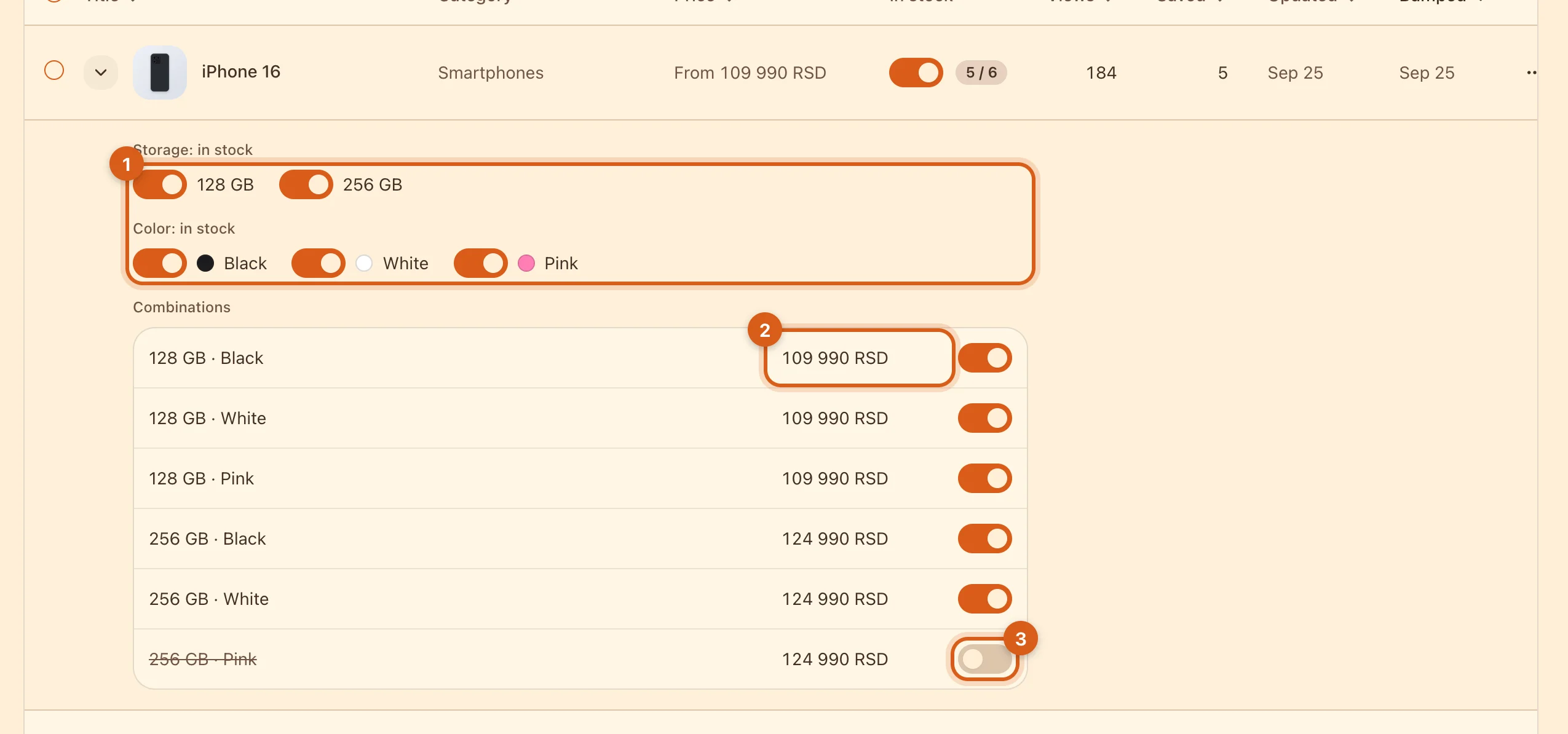
- 1Take a whole variant off sale — for example, all of the pink color.
- 2The price of a specific combination.
- 3Stock for a specific combination. Buyers can’t order one that is switched off.
4. Change many at once
Tick rows — a panel appears at the bottom.
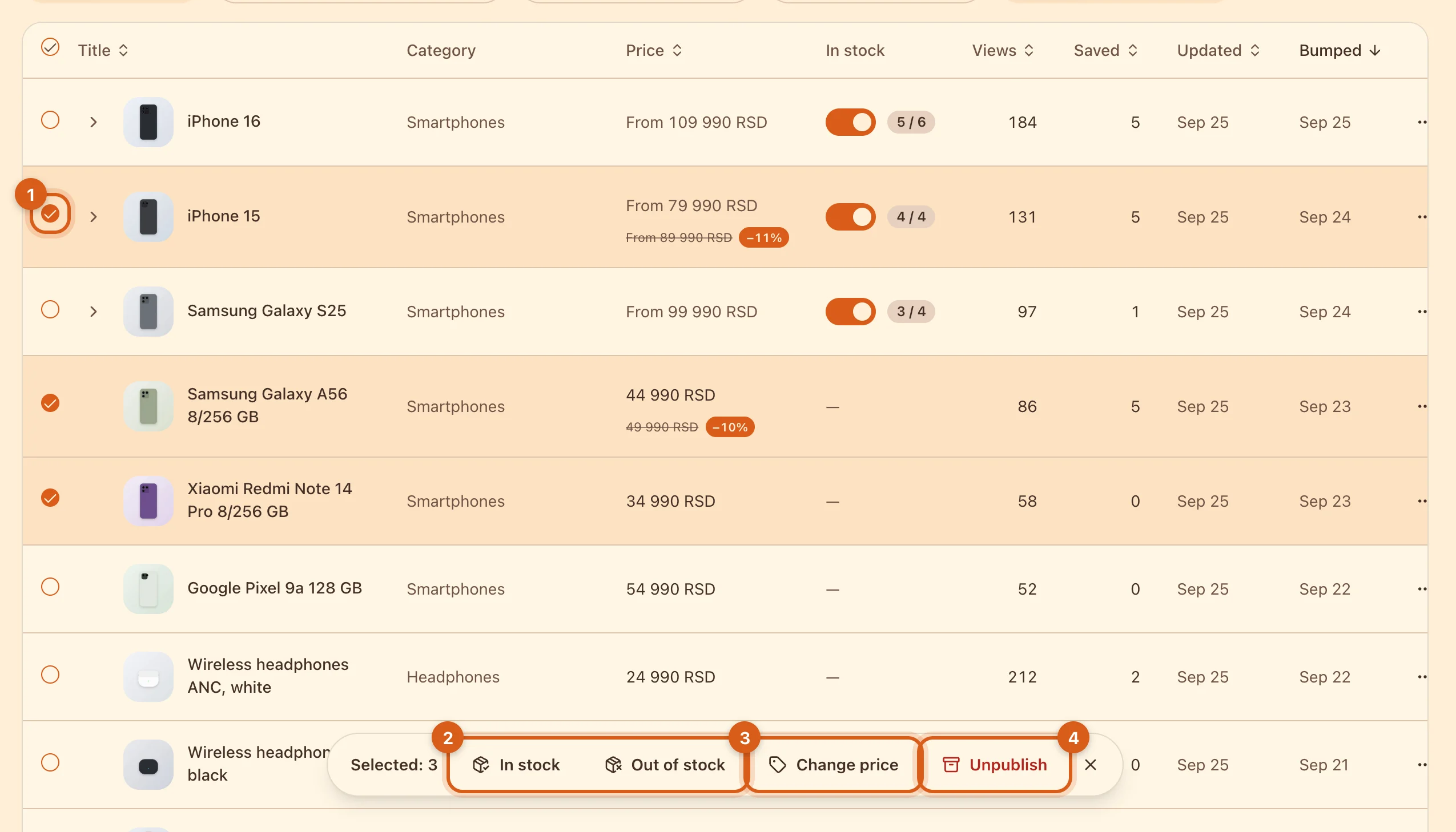
- 1The checkbox on a row.
- 2“In stock” / “Out of stock” — for items with configurations. A regular item sold out? Unpublish it.
- 3“Change price” — by a percentage or an amount.
- 4“Unpublish” — the listings go to the archive.
5. Change prices in bulk
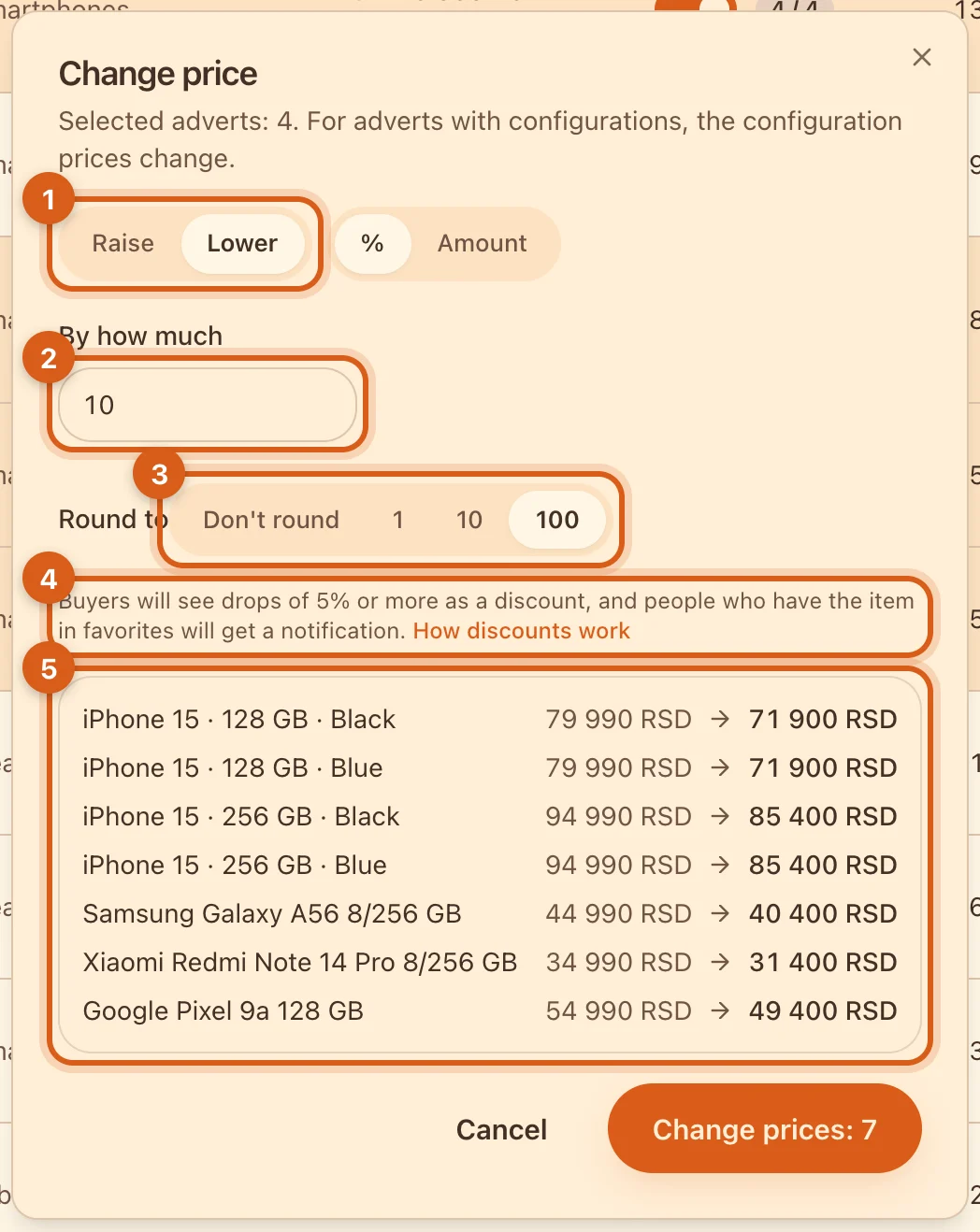
- 1Raise or lower.
- 2By how much — as a percentage or an amount.
- 3Rounding, so prices look neat.
- 4A drop of 5% or more becomes a discount: buyers will see the old price crossed out.
- 5Preview: what each row’s price will become. Check it and click “Change prices”.
How discounts work — in the guide “Discounts”.
Frequently asked questions
Can I use it on my phone?
The table is computer-only. On your phone, change price and stock in “My Ads”, one listing at a time.
Will my listing be bumped after a price change?
No. To get the listing back to the top of the feed, tap “Bump” — free once every 7 days.
How do I delete listings?
On the “Archive” tab, tick them and click “Delete”. If a listing had chats or a deal, the buyer keeps them.
Can I update prices from a price list file or track stock in units?
The price list — yes. Click “Update from file” above the table and choose a price list in .xlsx or .csv. The assistant matches the rows with your adverts and configurations and shows which prices and availability will change. Nothing changes until you click “Apply”. Stock in units isn’t available yet — you can only mark whether an item is in stock. If you need units, write to support.