Discounts: lower the price and buyers see it and get notified
There is no separate “discount” button. Lower the price by 5% or more — Ovdix does the rest.
What buyers see
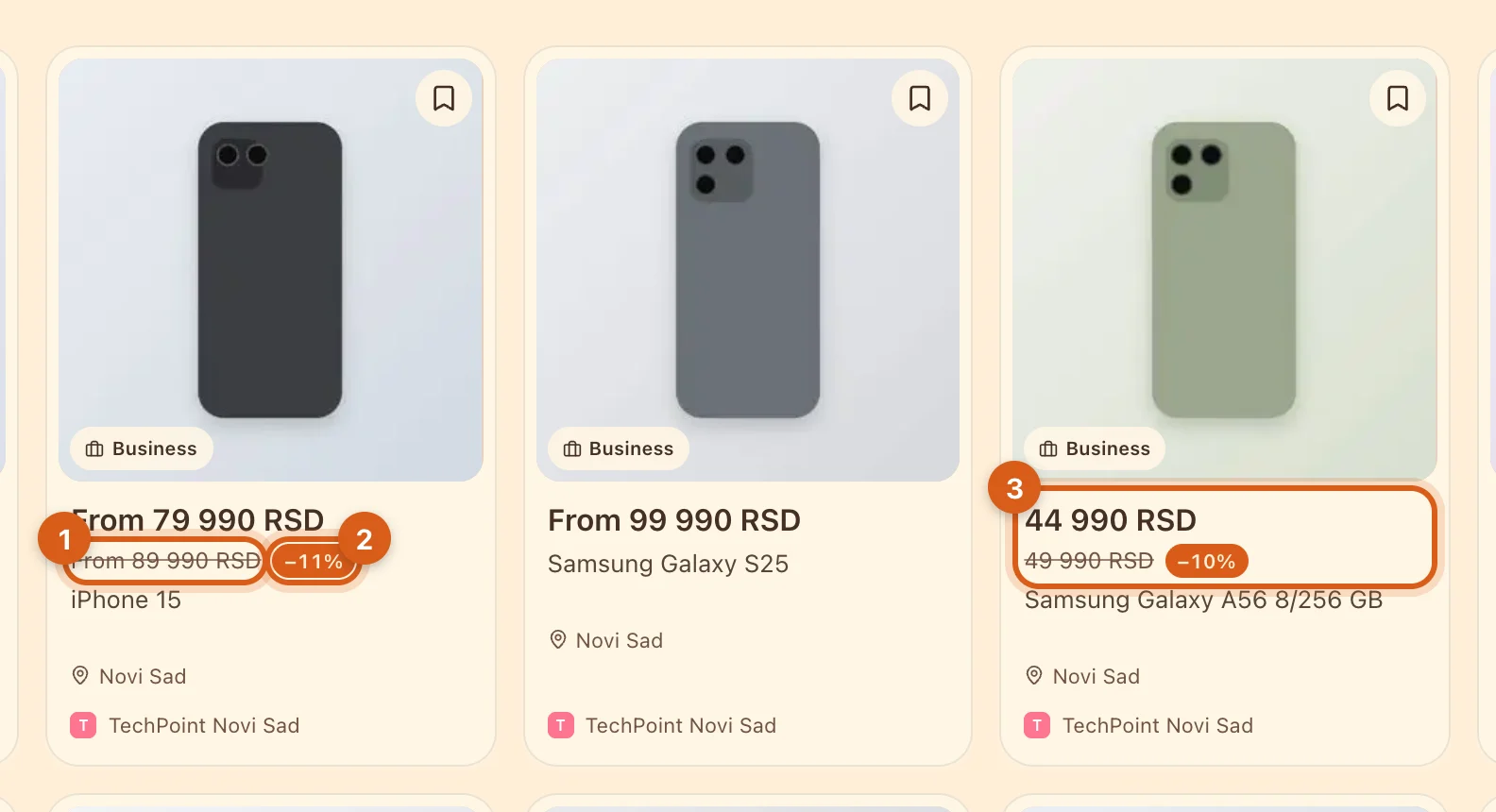
- 1The old price is crossed out. For an item with variants, it shows “from”: was “from 89,990”, now “from 79,990”.
- 2The size of the discount.
- 3A regular item looks the same, without “from”.
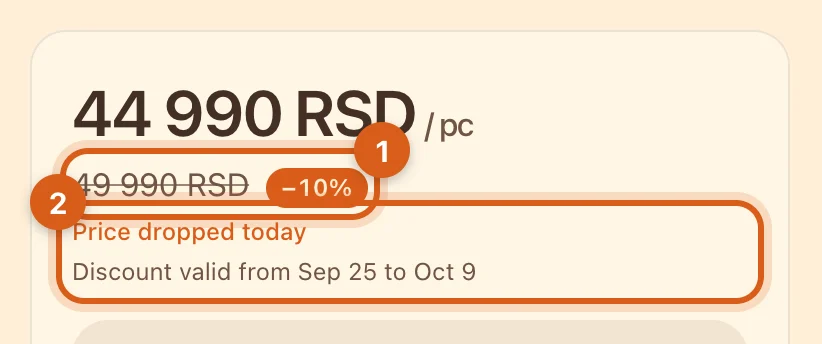
- 1The same on the listing page. Tap “−N%” to see where the old price comes from.
- 2When the price was lowered and how long the discount lasts.
People who added the listing to favorites get a notification: in the app, in Telegram or by email.
How to discount one listing
Open the listing in the editor and enter the new price.
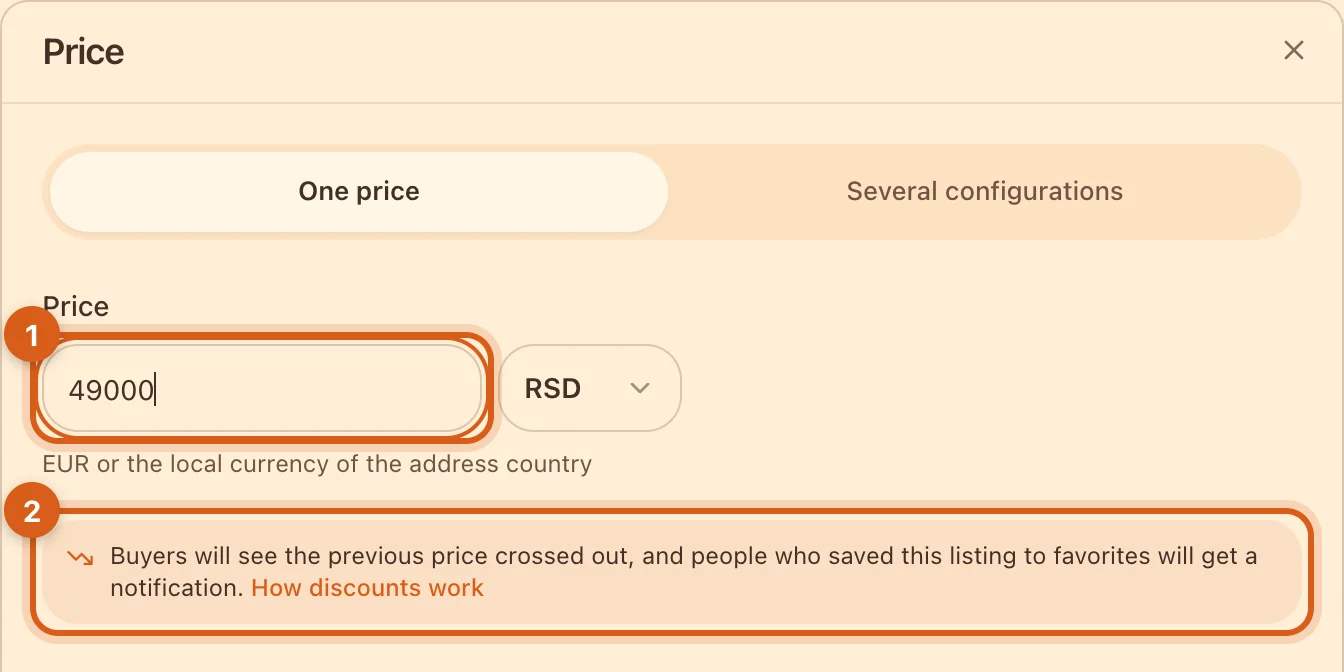
- 1The new price.
- 2If it’s 5% lower or more, a hint appears. Save — done.
Discount a whole range
In the “Products” table, tick listings → “Change price” → “Lower” → for example, 10%. Rows that won’t become a discount are marked.
The rules in brief
- A discount is a drop of 5% or more.
- The “old price” is the lowest one in the last 30 days. Raising the price and then immediately “lowering” it back won’t work.
- The price has to stay put first: 48 hours for a private listing, 15 days for a business listing.
- The discount is shown for 14 days.
- Lowering step by step (100 → 80 → 70)? Buyers will see “100 → 70, −30%”.
For shops in Serbia, Ovdix displays discounts in line with the Law on Trade (Art. 36–37): the previous price is the lowest in 30 days, and the page shows how long the discount lasts.
Frequently asked questions
Why is there no discount after I lowered the price?
The drop is less than 5% of the lowest price in 30 days, or the price was set too recently.
When does a discount disappear before 14 days?
If you raise the price, change the currency or switch to “price on request”.
I’m a buyer. How do I find out the price dropped?
Add the listing to favorites — you’ll get a notification when the seller lowers the price.