Drafts, copies and deleting listings
An unfinished listing isn’t lost, a similar item is posted as a copy, and what you no longer need is deleted from the archive.
Drafts: nothing gets lost
While you fill in a listing, every section you save goes into a draft. Closed the tab or got distracted? Pick up where you left off.
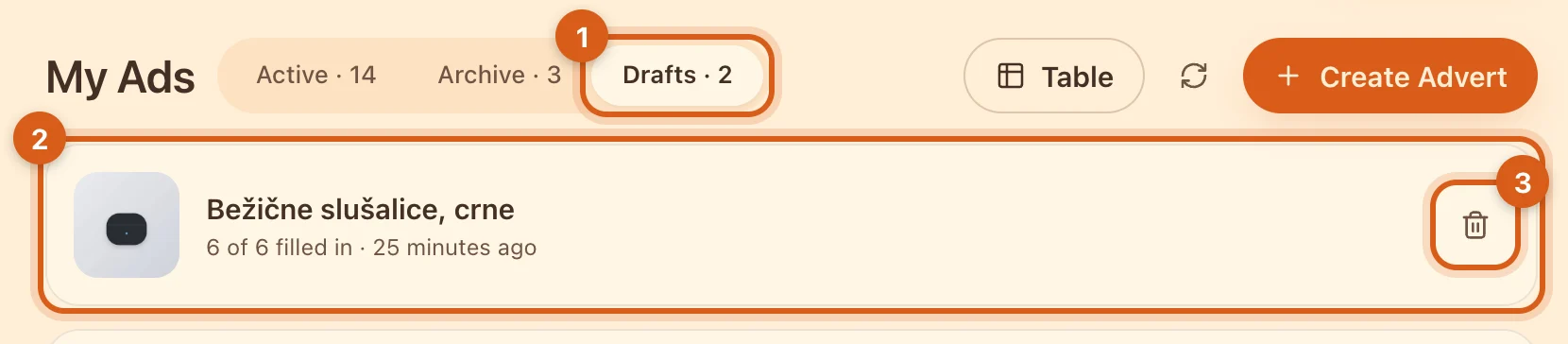
- 1The “Drafts” tab in “My Ads”.
- 2A draft: how many sections are filled in and when you last edited it. Tap it to continue.
- 3Delete a draft — immediately, without confirmation.
- Your latest draft is also offered on the “Post ad” page — in the “Continue where you left off” block.
- Only you can see drafts; they don’t count towards your plan’s listing limit and are kept indefinitely.
- Reached your plan’s limit? The listing won’t be published, but the draft stays: publish it when a slot frees up.
“Duplicate”: a similar item in a minute
Selling the same item in another color or a second batch? Don’t fill everything in again.
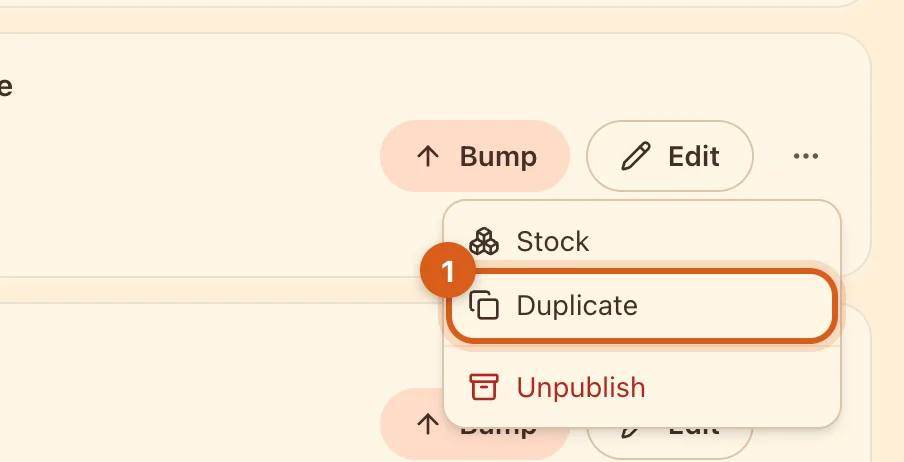
- 1The “⋯” menu on the card → “Duplicate”. The copy opens as a draft: change what’s different and publish it.
- The category, address, title and description, specifications, price, photos, delivery settings and configurations are copied.
- Views, favorites, chats, deals and reviews are not copied — it’s a new listing.
- You can duplicate both an active listing and one from the archive. For a sold listing in the archive, the same button is called “Sell again”.
Deleting from the archive
Only an unpublished listing can be deleted: “My Ads” → “Archive” → “⋯” → “Delete”.
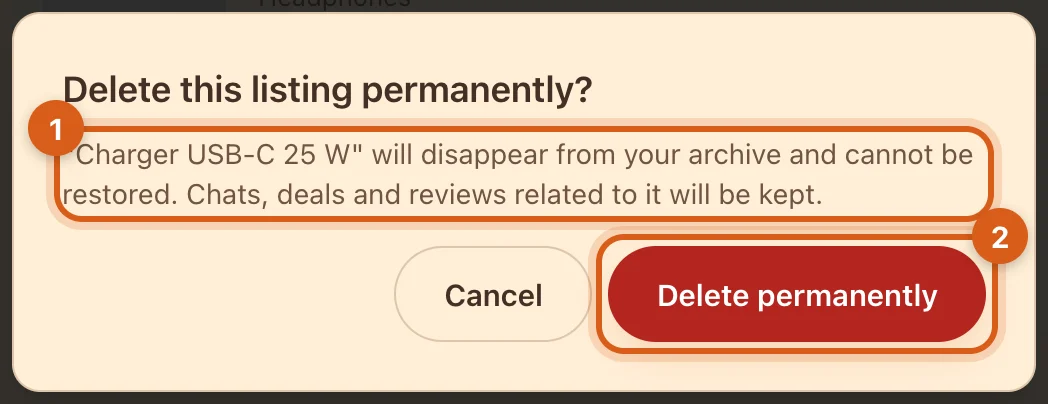
- 1The listing will disappear from your archive and can’t be restored. Messages, deals and reviews for it stay with both parties — the buyer’s chat will show “Listing deleted”.
- 2Confirm the deletion.
Lots of old listings? In the “Products” table, on the “Archive” tab, tick the rows and delete them all at once.
Frequently asked questions
Are photos required?
No, you can publish without them. But listings with photos get more views and sell more readily.
Can I get a deleted listing back?
No. If the item may go back on sale, keep the listing in the archive — you can duplicate it, and if there’s no deal on it, restore it too.
Why is there no “Delete” button on an active listing?
Unpublish it first — it will move to the archive, and you can delete it there.