Notifications: Telegram, push and email
A buyer who doesn’t get a reply within a couple of hours goes to another seller. Here’s how to hear about messages right away.
Where notifications arrive
- In the Ovdix app — as push notifications.
- In Telegram — if you link it to your account. The website has no push notifications, so for sellers who work from a computer, Telegram comes first.
- By email — a backup channel: an email is sent only if neither the push nor Telegram got through, after about 15 minutes. If you’ve already read the message, there’s no email.
- In the notification center on the website and in the app — always.
Link Telegram
Open notification settings (the gear icon in the notification center).
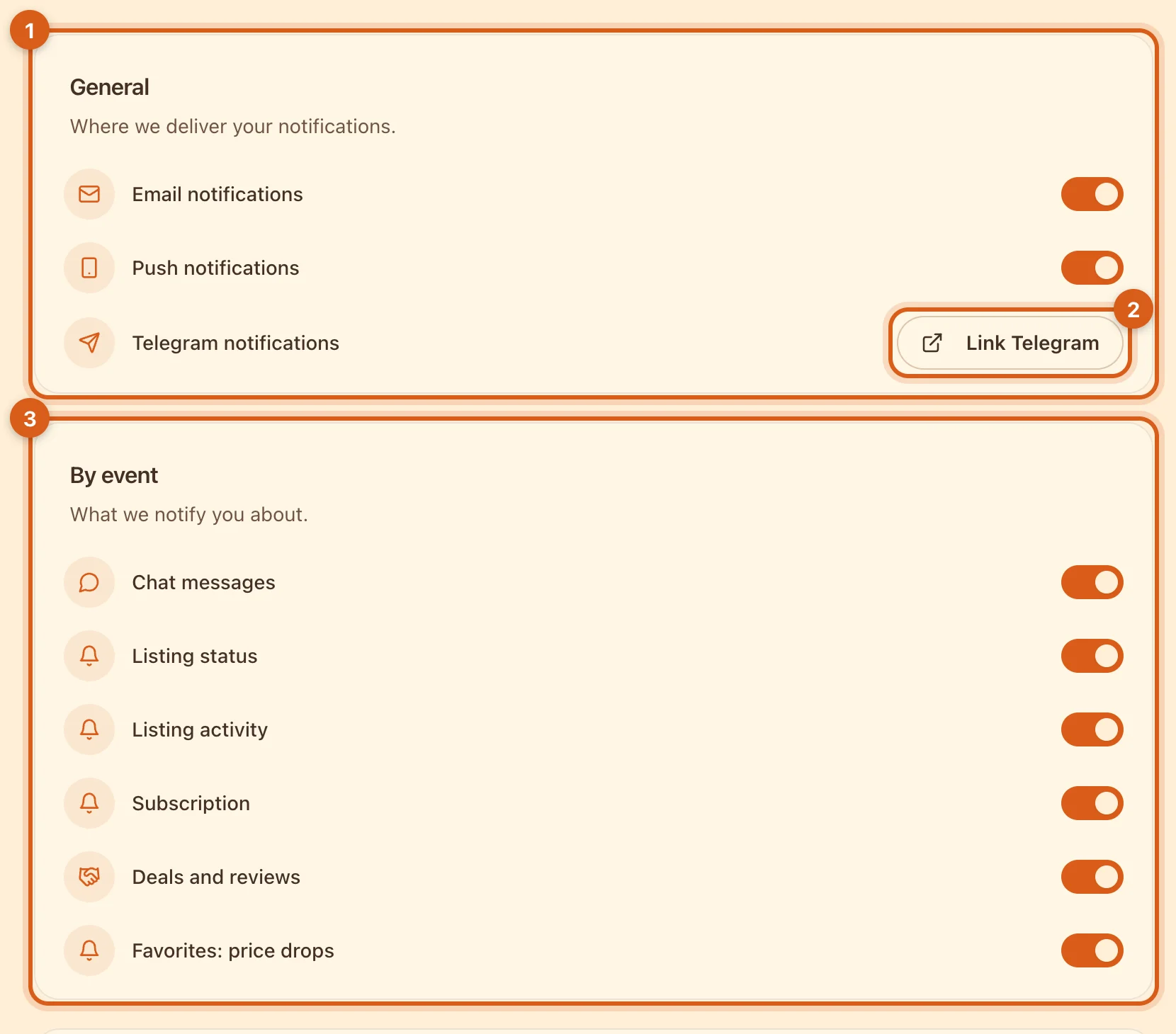
- 1Channels: email, push notifications in the app and Telegram. A channel that’s turned off stays silent for all events.
- 2“Link Telegram” opens the Ovdix bot — tap “Start” there. A couple of seconds later, “Linked as …” appears here.
- 3Events: what to notify you about. Toggles take effect immediately; there is no “Save” button.
Notification center
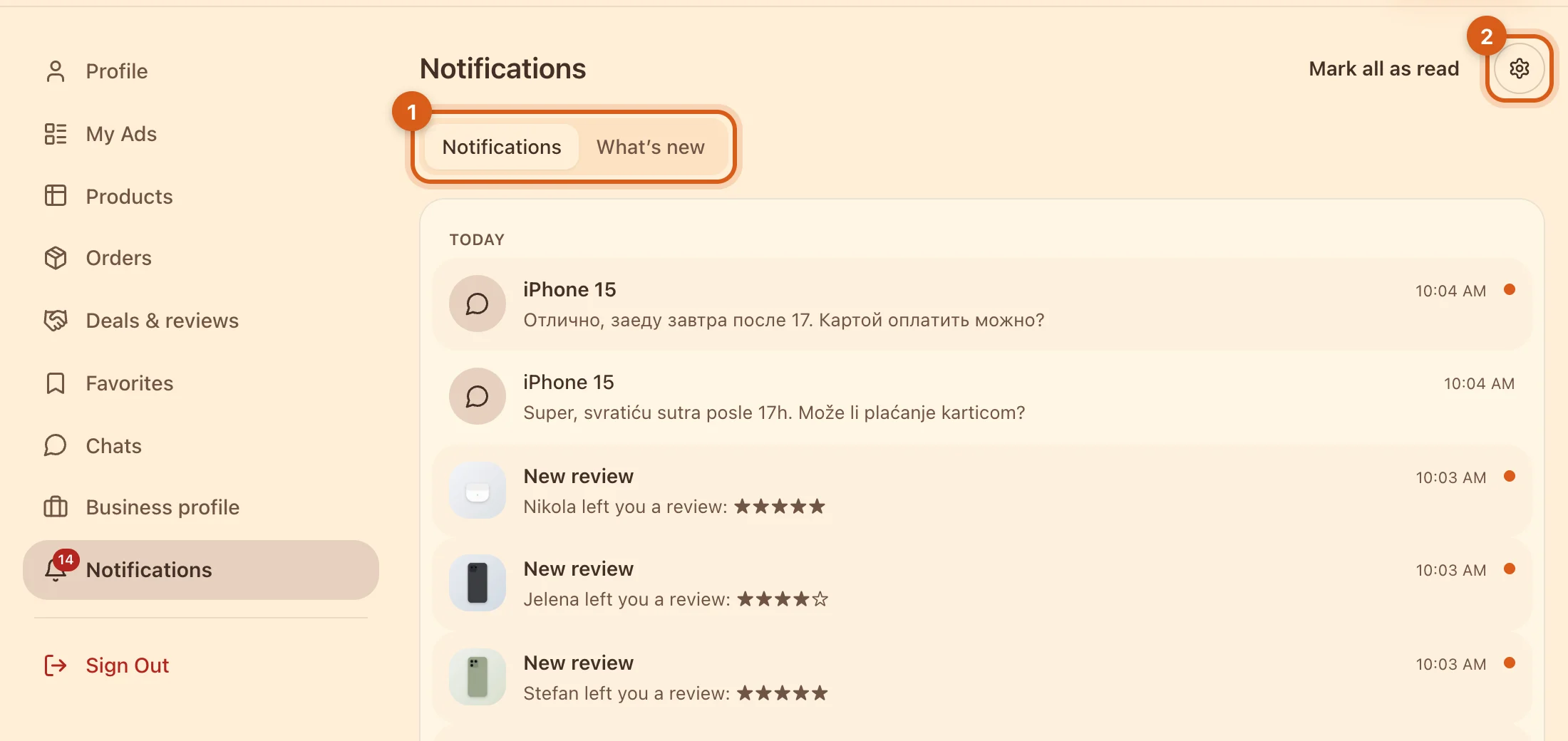
- 1All events in one feed: messages, deals and reviews, price drops in favorites, the listing summary. The “What’s new” tab shows new Ovdix features.
- 2Notification settings.
Listing summary
Once a week, Ovdix sends a summary: how many times your listings were viewed and added to favorites, and which one gets the most views. If there were no views or favorites that week, there’s no summary. Turn it off with the “Listing activity” toggle.
Frequently asked questions
Why have emails stopped arriving?
You may have unsubscribed via the link in one of the emails — this turns off email for all events. Turn it back on in notification settings.
I linked Telegram, but messages don’t arrive.
Check that the bot isn’t stopped (the /stop command) or blocked in Telegram. If you block the bot, the link is removed — link Telegram again.
Can I get notifications in the browser?
Not yet. On a computer, use Telegram; on a phone, the Ovdix app.